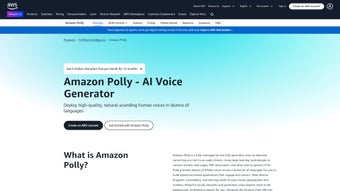

Download Amazon Polly – Text‑to‑Speech, AI Voice, Cloud Service
Overview
Amazon Polly is Amazon Web Services’ flagship text‑to‑speech (TTS) engine, built to turn written content into natural‑sounding spoken audio. Unlike traditional TTS solutions that rely on robotic, monotone voices, Polly leverages deep learning models to generate speech that mimics human intonation, rhythm, and emphasis. This makes it an ideal choice for developers, content creators, and enterprises that want to add a conversational layer to their applications, websites, or media assets.
The service supports more than 60 voices across 30+ languages, giving you the flexibility to target global audiences without the need for multiple voice‑over studios. Whether you are building an accessibility feature for a mobile app, a voice‑enabled chatbot, an automated news reader, or an e‑learning platform, Amazon Polly delivers a secure, scalable, and cost‑effective solution. Its tight integration with other AWS services—such as Amazon S3 for storage, AWS Lambda for serverless processing, and Amazon CloudWatch for monitoring—means you can embed speech generation directly into existing cloud workflows.
Security is baked into the platform; data in transit is encrypted with TLS, and IAM policies let you fine‑tune who can invoke the API. Polly’s pricing model is pay‑as‑you‑go, so you only pay for the characters you synthesize, making it attractive for both startups and large enterprises. With automatic scaling, the service can handle anything from a few hundred requests per month to millions of characters per day, all while maintaining low latency and high availability.
In short, Amazon Polly transforms static text into an engaging audio experience, empowering you to reach users who prefer listening over reading, improve accessibility compliance, and create innovative voice‑first products without the overhead of managing your own speech synthesis infrastructure.
Key Features of Amazon Polly
- Natural‑Sounding Voices: Deep learning‑based neural TTS delivers lifelike speech with realistic intonation and emphasis.
- Multi‑Language & Multi‑Voice Support: Over 60 voices in more than 30 languages, including regional accents and gender options.
- SSML (Speech Synthesis Markup Language) Compatibility: Fine‑tune pronunciation, pauses, emphasis, and prosody directly in your text.
- Custom Lexicons: Upload pronunciation dictionaries to handle industry‑specific terminology, brand names, or foreign words.
- Streaming & Batch Synthesis: Real‑time streaming for interactive applications or batch processing for large‑scale audio generation.
- Seamless AWS Integration: Directly connect with Amazon S3, Lambda, CloudWatch, and IAM for secure, automated workflows.
- Secure Data Handling: TLS encryption in transit, optional VPC endpoints, and fine‑grained IAM policies to protect sensitive text.
- Cost‑Effective Pay‑As‑You‑Go Model: Charged per million characters, with no upfront licensing fees.
- Scalable Architecture: Auto‑scales to handle spikes in traffic, ensuring low latency even during peak usage.
- Audio Formats & Bitrates: Output in MP3, OGG, or PCM with selectable sample rates to match your playback requirements.
These capabilities collectively make Amazon Polly a versatile tool for a broad spectrum of use cases. For instance, developers can embed Polly into an Alexa skill to provide dynamic narration, while marketers can generate localized audio ads in seconds. The SSML support allows you to embed instructions like
Moreover, custom lexicons are especially valuable for industries such as finance or medicine, where precise pronunciation of jargon can be critical for user trust. The service’s ability to output different audio codecs also ensures compatibility with everything from low‑bandwidth mobile devices to high‑fidelity podcast platforms. All of these features are delivered through a single, unified API, reducing the operational overhead typically associated with managing multiple voice engines.
Installation & Usage Instructions
1. Create an AWS Account & Set Up IAM Permissions
Begin by signing up for an AWS account if you don’t already have one. Once logged in, navigate to the IAM console and create a new user or role with AmazonPollyFullAccess (or a custom policy that grants polly:SynthesizeSpeech and related actions). Attach the policy to the user and generate an access key ID and secret access key; you will need these credentials for API calls.
2. Install the AWS SDK
Amazon Polly is accessed through the AWS SDKs for your preferred programming language. Below are the installation commands for the most common environments:
- Python:
pip install boto3 - Node.js:
npm install aws-sdk - Java: Add the
aws-java-sdk-pollydependency via Maven or Gradle. - .NET: Install the
AWSSDK.PollyNuGet package.
3. Write a Simple Synthesis Script
Here’s a quick example in Python that converts a string into an MP3 file:
import boto3

# Initialize a Polly client
polly = boto3.client('polly',
                     aws_access_key_id='YOUR_ACCESS_KEY',
                     aws_secret_access_key='YOUR_SECRET_KEY',
                     region_name='us-east-1')

response = polly.synthesize_speech(
    Text='Welcome to Amazon Polly, your voice for the cloud.',
    OutputFormat='mp3',
    VoiceId='Joanna'  # Choose any supported voice
)

# Save the audio stream to a file
with open('welcome.mp3', 'wb') as file:
    file.write(response['AudioStream'].read())
Replace YOUR_ACCESS_KEY and YOUR_SECRET_KEY with the credentials you created earlier. The script will output an welcome.mp3 file that you can play on any device.
4. Using SSML for Advanced Control
If you need more nuanced speech, wrap your text in SSML tags. For example:
ssml_text = """
Hello, world !
Amazon Polly .
"""
Pass TextType='ssml' to the synthesize_speech call, and Polly will respect the pauses, emphasis, and rate changes you defined.
5. Automating at Scale with AWS Lambda
For serverless pipelines, you can create a Lambda function that triggers on new text files uploaded to an S3 bucket. The function reads the file, calls Polly, stores the resulting audio back in S3, and optionally notifies downstream services via SNS. This pattern enables you to generate audio for thousands of articles automatically without managing any servers.
By following these steps, you’ll have a fully functional TTS workflow that can be expanded to fit any application—be it a mobile app that reads news aloud, an e‑learning platform that narrates lessons, or an accessibility feature that reads UI elements for visually impaired users.
Compatibility, Pros & Cons
Amazon Polly is a cloud‑based service, so it works across all major operating systems that can make HTTPS requests. Whether you develop on Windows, macOS, Linux, Android, or iOS, you can integrate Polly through the AWS SDKs, REST API, or CLI. The only requirement is internet connectivity to reach the AWS endpoint, making it platform‑agnostic and ideal for cross‑device deployments.
Pros
- High‑Quality Neural Voices: Provides the most natural speech available in the market.
- Broad Language Coverage: Supports global audiences with regional accents.
- Scalable & Pay‑As‑You‑Go: Handles any volume, from a few sentences to millions of characters.
- Deep AWS Integration: Works seamlessly with S3, Lambda, CloudWatch, and IAM.
- Secure & Compliant: TLS encryption, VPC endpoints, and fine‑grained access controls.
- Rich SSML Support: Allows precise control over pronunciation, pauses, and emphasis.
- Custom Lexicons: Tailor pronunciation for brand names or technical terms.
- Multiple Audio Formats: MP3, OGG, PCM to suit different playback scenarios.
Cons
- Internet Dependency: Requires a stable connection; offline usage isn’t possible.
- Learning Curve for SSML: Advanced features need familiarity with SSML syntax.
- Cost Accumulation at Scale: While pay‑as‑you‑go is flexible, very high volumes can become expensive without careful budgeting.
- Limited On‑Device Processing: Not suitable for edge devices that need fully offline TTS.
- Voice Customization Limits: Deep voice‑cloning requires additional services like Amazon Lex or third‑party tools.
Overall, the benefits of high‑fidelity speech, extensive language support, and AWS ecosystem integration outweigh the drawbacks for most developers. If your application can rely on cloud connectivity and you’re comfortable working with SSML, Amazon Polly offers an unmatched combination of quality and flexibility.
Pros: Natural‑sounding voices, extensive language library, seamless AWS integration.
Cons: Requires internet, SSML learning curve, costs can add up at massive scale.
Frequently Asked Questions
How does Amazon Polly differ from traditional text‑to‑speech engines?
Traditional TTS often uses concatenative synthesis, stitching together pre‑recorded phonemes, which can sound robotic. Amazon Polly uses neural network models that generate speech waveforms directly, resulting in smoother intonation, natural pauses, and a more human‑like cadence. This makes Polly’s output suitable for customer‑facing applications where voice quality impacts user perception.
Can I use Amazon Polly for offline applications?
No. Polly is a cloud‑based service; every synthesis request is sent to AWS endpoints. For offline scenarios, you would need a locally hosted TTS engine, but you could pre‑generate audio files with Polly and embed them in the app for later playback.
What pricing model does Amazon Polly use?
Polly follows a pay‑as‑you‑go model, charging per million characters of text synthesized. Prices vary by voice type (standard vs. neural) and output format. There are no upfront fees, and you can monitor usage through the AWS Billing Dashboard to avoid unexpected costs.
Is it possible to customize pronunciation for brand names?
Yes. Amazon Polly lets you upload custom lexicons (pronunciation dictionaries) in XML format. These lexicons override default pronunciation rules, ensuring that proprietary terms, acronyms, or foreign words are spoken exactly as you intend.
How secure is my data when using Amazon Polly?
Security is a core design principle. All data transmitted to and from Polly is encrypted using TLS. You can further restrict access with IAM policies, and for highly regulated environments, you can use VPC endpoints to keep traffic within your private network.
Conclusion & Call to Action
Amazon Polly stands out as a robust, high‑quality text‑to‑speech platform that blends cutting‑edge neural synthesis with the reliability of AWS’s global infrastructure. Whether you’re building an accessibility feature, a multilingual podcast generator, or an interactive voice assistant, Polly provides the voices, languages, and flexibility you need to deliver an engaging auditory experience. Its pay‑as‑you‑go pricing and automatic scaling mean you can start small and grow without re‑architecting your solution.
If you’re ready to bring lifelike speech to your applications, the first step is simple: sign up for an AWS account, enable Amazon Polly, and start experimenting with the SDKs. The extensive documentation, sample code, and community forums make onboarding straightforward, even if you’re new to cloud services. Remember to configure IAM permissions carefully and monitor your usage to keep costs under control.
Take action today: Download Amazon Polly, generate your first audio file in minutes, and discover how a human‑like voice can transform user interaction for your product.



.png)



